
Freediving course management
Freediving Course Scheduling and Management
Freediving courses run over several days and several kinds of session. Thalassa keeps track of every student’s progress through their course, what they’ve done, what they’re still owed and who is teaching them, so the desk never has to reconstruct it from WhatsApp.
The problem
Where course admin goes wrong
Students on the same course drift out of sync after one misses a pool day.
Someone has to remember that a student still has a depth session left from last month.
Courses bought as a group are paid by one person but attended by several.
Rescheduling one session means checking three instructors’ availability by hand.
Nobody can say, at a glance, which bookings have sessions that haven’t been scheduled yet.
Course templates
Each course carries its own session plan
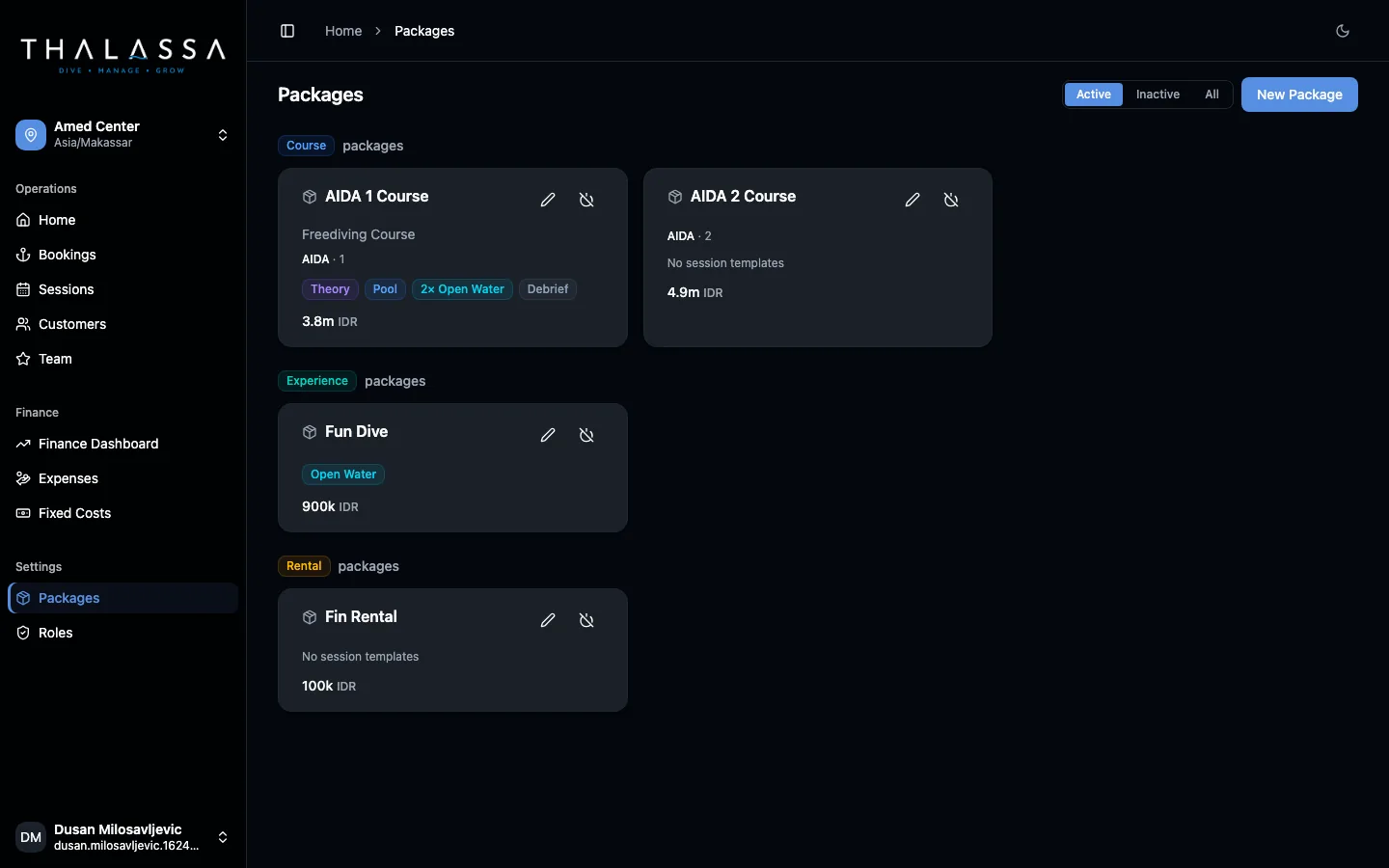
Build a package for each course you teach, for example an AIDA 1, a Molchanovs Wave 1 or a PADI Freediver, and list the sessions it includes by type: theory, pool, open water and debrief, with how many of each.
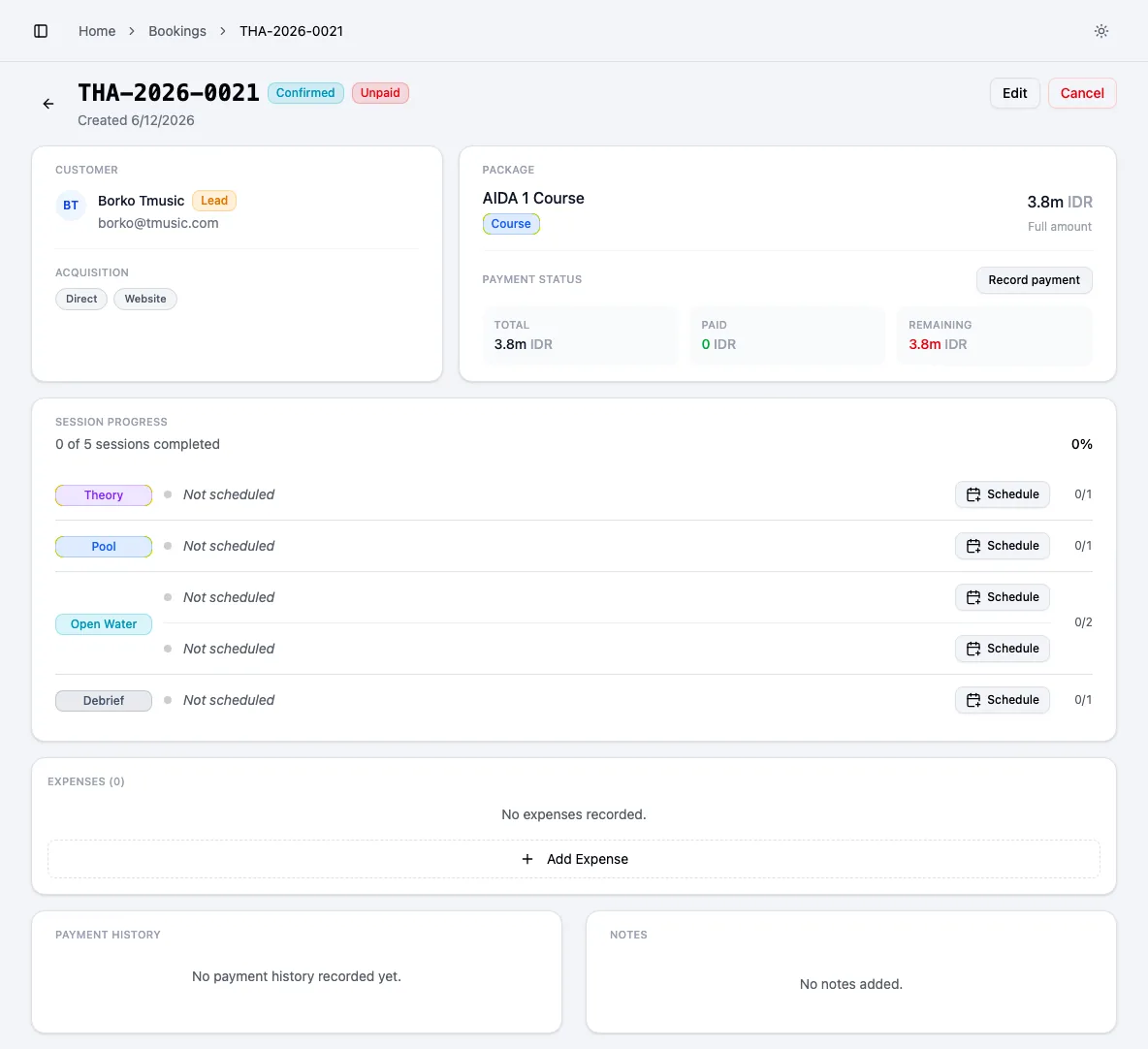
When a student is booked on that course, Thalassa stamps that plan onto their booking as a personal session ledger.
- Theory, pool, open water and debrief session types
- Multiple sessions of the same type (e.g. 2× open water)
- Agency and level stored on the course
Progress per student
See exactly where each student is in their course
Every booking shows session progress: how many sessions are completed out of the total, and which ones are not scheduled yet. Group bookings keep a separate ledger per person, so one student missing a session doesn’t affect anyone else.
Attendance drives the ledger. A student marked present has that session counted. A student marked absent or late-cancelled still has it owed, and can be added to the next session of that type.
- Sessions owed vs. completed per student
- Per-person ledgers inside group bookings
- Absent and late-cancel attendance statuses
Scheduling
Schedule sessions in minutes, not in a group chat
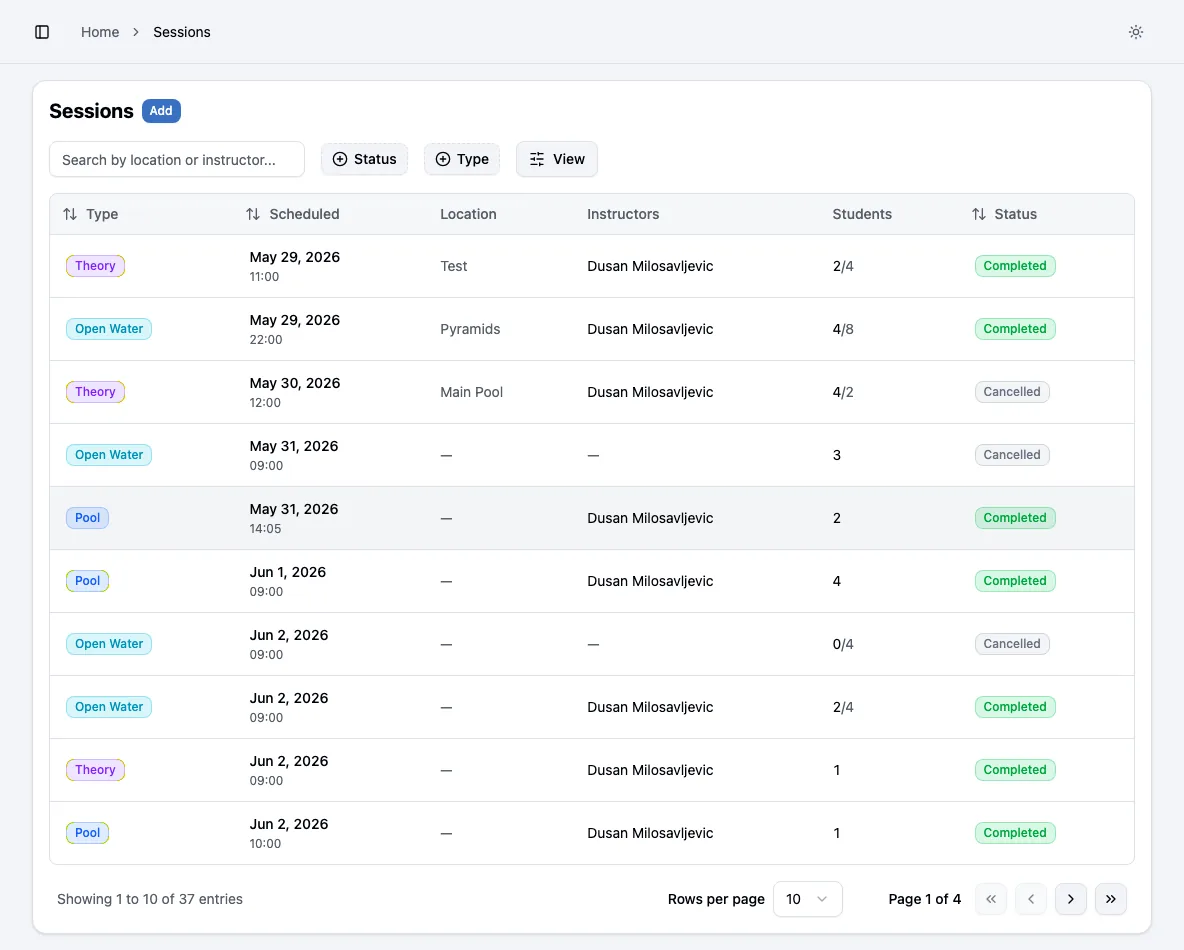
The dashboard lists bookings that still have sessions to schedule. Open one, schedule the next session, add the students and assign a lead and an assistant instructor.
Thalassa stops you assigning an instructor who is already on an overlapping session, and warns you when a session goes above a 4:1 student-to-instructor ratio or clashes with another session at the same location.
- Unscheduled bookings queue on the dashboard
- Instructor double-booking blocked
- Ratio and location warnings
- Location, meeting point and capacity per session
Example
A missed pool session, handled
- 1
Day 2 pool
Maria is sick and misses the pool session. The instructor marks her absent. Her pool session stays owed.
- 2
Everyone else moves on
The rest of the group have their pool session counted and continue to open water.
- 3
Catch-up
The desk sees Maria still has a pool session owed and adds her to Thursday’s pool block.
- 4
Finish
When all her sessions are done, her course shows complete and the instructor signs it off.
Scope
Online booking
Thalassa manages courses after the sale. Students don’t self-book through Thalassa today. Your team enters bookings from your website, WhatsApp, Instagram or OTAs, and tags each one by channel, so you still see which sources bring the most revenue.
Pricing
Founding member pricing
Five founding centers get the full platform for one yearly price, locked in for life, with no per-instructor fees and no session limits.
Pricing detailsFounding member plan
€500 / year
About €42 a month, billed yearly
Your price is locked in for life. It never goes up while you stay subscribed.
Everything included
- Bookings, course packages and per-student session tracking
- Session scheduling, instructor assignment and attendance
- Student records: certifications, medical notes, emergency contacts
- Payments, deposits and outstanding balances per booking
- Finance dashboard: revenue, costs, profit, margin and break-even
- Unlimited staff accounts, students and sessions
- Every new feature we ship, at no extra cost
- Guided setup and a direct line to the founders
No card needed to book a demo. We walk through Thalassa on your own courses and pricing before you decide.
Frequently asked questions
Can I use it for Molchanovs, AIDA, SSI and PADI courses?
Yes. Courses are defined by you, with any agency and level, and any mix of theory, pool, open water and debrief sessions.
What happens when a student misses a session?
Mark them absent or late cancel. The session stays owed on their ledger and you add them to a later session of the same type.
Can one booking cover several students?
Yes. A group booking keeps a separate session ledger for each person, so everyone’s progress is tracked individually.
Does it work for fun dives and experiences too?
Yes. Packages can be courses, experiences, rentals or trips, with or without session plans.
Can students see their own progress?
Not yet. Progress is visible to your team in Thalassa.
Related
Course package tracking
Track how many sessions each student has left in their course or package. Thalassa keeps a session ledger per student, updated from attendance.
Instructor scheduling
Schedule dive and freediving sessions, assign lead and assistant instructors, and stop double-bookings. Ratio and location warnings built in.
Freediving center software
Freediving center software for courses, sessions, students, instructors and profit. Track sessions owed per student and see if your center makes money.
Compare freediving software
A fair 2026 comparison of freediving center software: Thalassa, Manage Freediving, freedivestudio, scuba dive shop software, booking tools and spreadsheets.
Run your next course in Thalassa
Book a demo and we’ll set up one of your courses with its real session plan, then book a student through it.